MENU BAR

TOPO DAN KAWAN-KAWAN

sedang berkelana di malam ramadhan

SIC

KLUB MULTIMEDIA

arya dezper

produk kerja SIC

foto profile

nampang dulu sob... please enjoy

This is default featured slide 5 title

Go to Blogger edit html and find these sentences.Now replace these sentences with your own descriptions.This theme is Bloggerized by Lasantha Bandara - Premiumbloggertemplates.com.

Tampilkan postingan dengan label YAHOO.. Tampilkan semua postingan

Jumat, 27 April 2012

BEBERAPA KEMUNGKINAN MENGAPA USB FLASH DISK TIDAK TERDETEKSI ( WHY IS SOME POSSIBILITY OF USB FLASH DISK NOT DETECTED )


Beberapa hal yang patut dicurigai ketika UFD (USB Flash Disk) yang kita miliki tidak terdeteksi saat dicolok ke PC, antara lain :
- Port USB Rusak
- Setting bermasalah ( Bios, Windows)
- Driver bermasalah
- Rusak secara Fisik
- dll
Untuk mencoba mengatasinya maka dapat dilakukan beberapa hal berikut ini :
1. Coba colok USB kita pada Port USB yang lain /pindah-pindah, jika belum berhasil coba colokan ke PC lain, apabila berhasil maka USB kita tidak bermasalah dan kecurigaan 100% kepada PC.
2. Atau dilakukan sebaliknya, coba colokan USB lain di PC kita (jika ada)/ atau perangkat lain yang menggunakan usb port. Dengan asumsi, jika alat yang kita hubungkan terdeteksi, maka port USB tidak bermasalah.
3. Cek di settingan BIOS barangkali disable sengaja atau tidak, hal ini bisa saja terjadi perubahan setting dengan tidak kita sadari manakala baterai MotherBoard kita udahsoak / lemah.
4. Cek di Device Manager , caranya :
- klik start > settings > Control Panels.
- Dobel Klik pada icon system,
- Setelah terbuka jendela Syistem Properties, klik tab Hardware
- Klik tombol Device Manager
- Kemudian cek di bagian Universal Serial Bus Controllers, terlihat ada masalah
- Tanda tanya pada bagian ini menandakan hardware tidak dikenal atau td ada driver
- Tanda silang berwarna merah pada bagian ini menandakan disable, maka jika ini terjadi lakukan klik kanan dan pilih enable
- Termasuk dalam hal ini kemungkinan perlu install ulang driver USB Flash disk
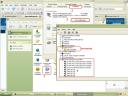

5. Cek pada registry, caranya :
- Klik Start > Run
- Ketikan : regedit kemudian enter
- Masuk ke : HKEY_LOCAL_MACHINE\SYSTEM\CurrentControlSet\Services\UsbStor
- Pada value Dwords harus bernilai 3 (enable), jika bukan 3 maka update dengan 3 lalu close dan restart
6. Kemungkinan yang lainnya adalah PC terjangkit Virus, maka harus dibersihkan dari virus dengan menggunakan anti virus
7. Jika mencurigai sebuah software yang baru diinstall sebagai penyebabnya maka coba uninstall dahulu software tersebut.
8. Coba gunakan software utiliti untuk find dan mount partisi ( semoga bisa)


Some things you suspect when the UFD (USB Flash Disk) that we have not detected when plugged into the PC, such as:- Damaged USB Port- Setting problem (Bios, Windows)- Driver problem- Damage to Physical- Etc.To try to overcome it can do some of the following:A. Try our USB plug in another USB port / move-move, if it does not work try to plug into another PC, if successful then we are not problematic USB and suspicion 100% to the PC.2. Or do the opposite, try another USB jack on your PC (if any) / or any other device that uses the usb port. By assumption, if we connect the device is detected, the USB port is not problematic.3. Check the BIOS settings may be disabled intentionally or not, this could happen to change the settings we do not realize when we've worn out the battery motherboard / weak.4. Check in Device Manager, how:- Click start> settings> Control Panels.- Double Click on the icon system,- After Syistem Properties window opens, click the Hardware tab- Click the Device Manager- Then check on the Universal Serial Bus Controllers, it appears there was a problem- A question mark in this section indicates the hardware is not known or there td driver- Signs on the red cross marks the disabled, so if this happens do right click and select enable- Included in this is likely to re-install the USB Flash disk driver5. Check the registry, how:- Click Start> Run- Type in: regedit then enter- Go to: HKEY_LOCAL_MACHINE \ SYSTEM \ CurrentControlSet \ Services \ UsbStor- The value must be worth Dwords 3 (enable), if not 3 then update with the 3 and close and restart6. Other possibilities are the PC infected with viruses, it must be cleaned of viruses by using anti-virus7. If you suspect a newly installed software as the cause then try to uninstall the software first.8. Try using a software utility to find and mount the partition (hopefully)
 http://agusnurli.wordpress.com

CHEAT LOST SAGA TERBARU 2012 ( 2012 LOST SAGA CHEAT )


Artikel kali ini saya tujukan buat para gamers khususnya Para Pecinta Cheat Lost Saga sebelumnya saya juga telas menyediakan Cheat Ninja Saga, bagi kalian yang belum tahu apa iu lost saga, Lost Saga adalah games terbaru dari gemscool setelah sukses dengan games Point Blank sekarang gemscool mengeluarkan games Lost Saga yang pastinya tidak akan kalah serunya dibandingkan dengan Point Blank. berikut adalah kutipan yang saya ambil dari situs resminya
Lost Saga merupakan game online action fighting, yang mempunyai banyak mode permainan , tidak hanya terpaku pada PVP mode, dalam Lost Saga, kalian dapat melakukan pertukaran hero dalam pertarungan serta senjata dan armor yang bisa di rebut dan bertarung dalam team.

kalian juga dapat memilih Hero, dari petinju, Dark saman, Ninja, kesatria berbaju besi, bahkan Cowboy. Dan setiap Hero memiliki berbagai macam skil yang berbeda serta dapat di tingkatkan sesuai dengan lvl yang di miliki, Map yang berfariasi membuat permainan lebih seru lagi..
nah untuk mempermudah sobat dalam bermain Games Lost Saga ini blog Info Terkini akan menyediakan Cheat Lost Saga. semoga dengan cheat ini bisa membantu permainan kalian dalam memainkan Lost Saga ada bermacam macam Cheat Lost Saga yang bisa temen temen dapatkan disini diantaranya ada Cheat 1 HIT CRUSADE 60, Cheat Lost Saga Hit Damage, Cheat Lost Saga Cheater Sobat, CHeat Lost Saga Terbaru, dan masih banyak yang lain.

Ok langsung saja Beriku adalah Cheat Ninja Saga Terbaru yang terbukuti masih work,. silahkan disimak.

Cheat Lost Saga

Cheat Lost Saga
Cheat Lost Saga

Fitur :
[-] Skill No Delay
Untuk Windows 7---> Klik kanan >> pilih "Run As Administrator"
WORK all WINDOWS XP/Vista/Win 7 (32 bit/64bit)

Cara pakai :
1. Buka LS
2. Buka Cheat
3. Login LS.
4. Saat Om Koboi ( GameGuard ) pilihlah cheat yg ingin anda pakai !
5. Jgn Lupa Close Cheat nya !
6. Happy Cheating .

NB :
Cara Pakai seperti biasa hotkey sudah ada di trainer yang ga tau leacher!
Buka Trainer langsung dari winrar jangan di extract karena jika di ekstrak akan DC!


Download Cheat Lost Saga Terbaru : Download

ya itulah Cheat Lost Saga yang bisa saya berikan disini semoga dengan Cheat ini permainan kalian di Games Lost Saga semakin seru.
http://www.infoterkini.web.id


This article, I aimed for the gamers, especially The Lost Saga Cheat previous lovers I also telas providing Ninja Saga, for you who do not know what iu lost saga, Lost Saga is the latest games from gemscool after success with games Point Blank games now gemscool issue Lost Saga is certainly not going to lose thrill compared to Point Blank. The following is a quote that I took from the official websiteLost Saga is an online action fighting game, which has many modes of play, not only in PVP mode, in Lost Saga, you can exchange hero in battle as well as weapons and armor that can be captured and fought in the team.you can also choose Hero, from the boxer, Dark saman, Ninja, knights in armor, even a Cowboy. And every Hero has a wide range of different skills and can be improved in accordance with the lvl which is owned, varied Folders makes the game more interesting ..nah mate for ease in playing Games Lost Saga this blog will provide a Cheat Latest Info Lost Saga. hopefully with this cheat can help you in playing the game there are different kinds of Lost Saga Lost Saga Cheat friend friend who can get them here no 1 HIT Crusade 60 Cheat, Cheat Hit Damage Lost Saga, Saga Cheat Cheater Lost Friend, Lost Saga Cheat, and there are many others.Ok just Beriku Ninja Saga is a terbukuti still work. please scrutiny.Lost Saga CheatLost Saga CheatFeatures:[-] Skill No DelayFor Windows 7 ---> Right click >> select "Run As Administrator"WORK all WINDOWS XP / Vista / Win 7 (32 bit/64bit)How to use:1. Open LS2. Open Cheat3. Login LS.4. When Om Cowboy (GameGuard) who choose the cheat you want to wear!5. Close Cheat Do not Forget it!6. Happy Cheating.NB:How to use the usual trainer hotkey already exists in the ga tau leacher!Open Trainer directly from winrar do the extract as if the extract will DC!
Lost Saga Cheat so that I can give here hopefully with this cheat your games in Games Lost Saga more exciting.

Popular Posts

Categories

About

About Me

Foto saya
KESEJAHTERAAN MULTIMEDIA E
Powered By Blogger
Diberdayakan oleh Blogger.

Square Banner